For anyone who gets work done with AI agents
Every agent's work,
on one map.
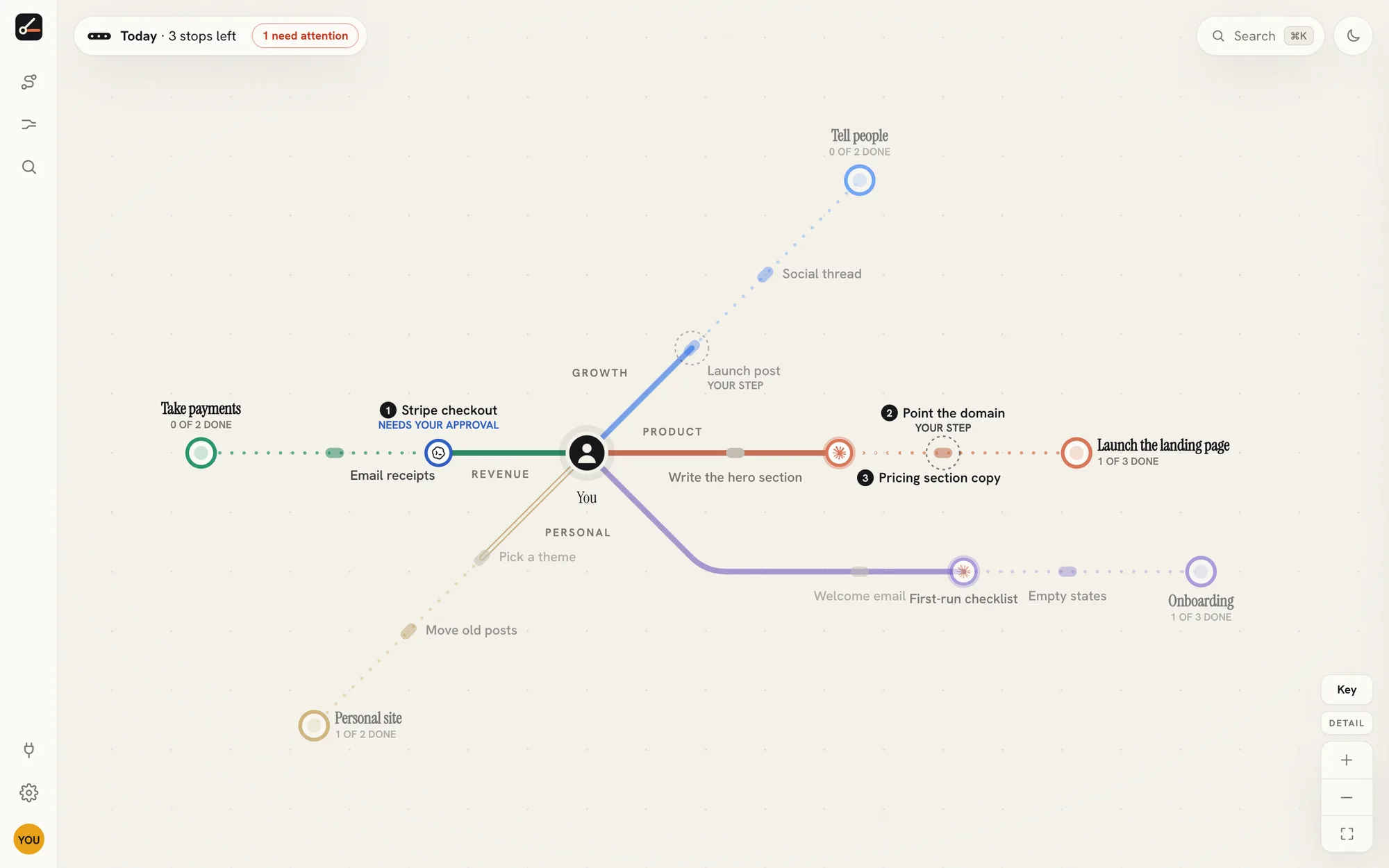
Your AI agents get on with the work. distantfog shows you what each one is doing at a glance, and checks with you before anything big happens.
Free for one agent · no card needed · ready in about two minutes
 Claude Codebuilds and fixes
 Codexwrites code
 Dotsdrafts and writes
 Grok Botresearches
 Musemakes images and assets
What it does for you
Hand work to agents without losing track of it.
See what every agent is doing
One map shows who's working on what, what's finished and what's stuck, without opening five chats.
Catch up in ten seconds
Come back after a day away and see exactly what changed: what got done, what failed, what needs you.
Decide from your phone
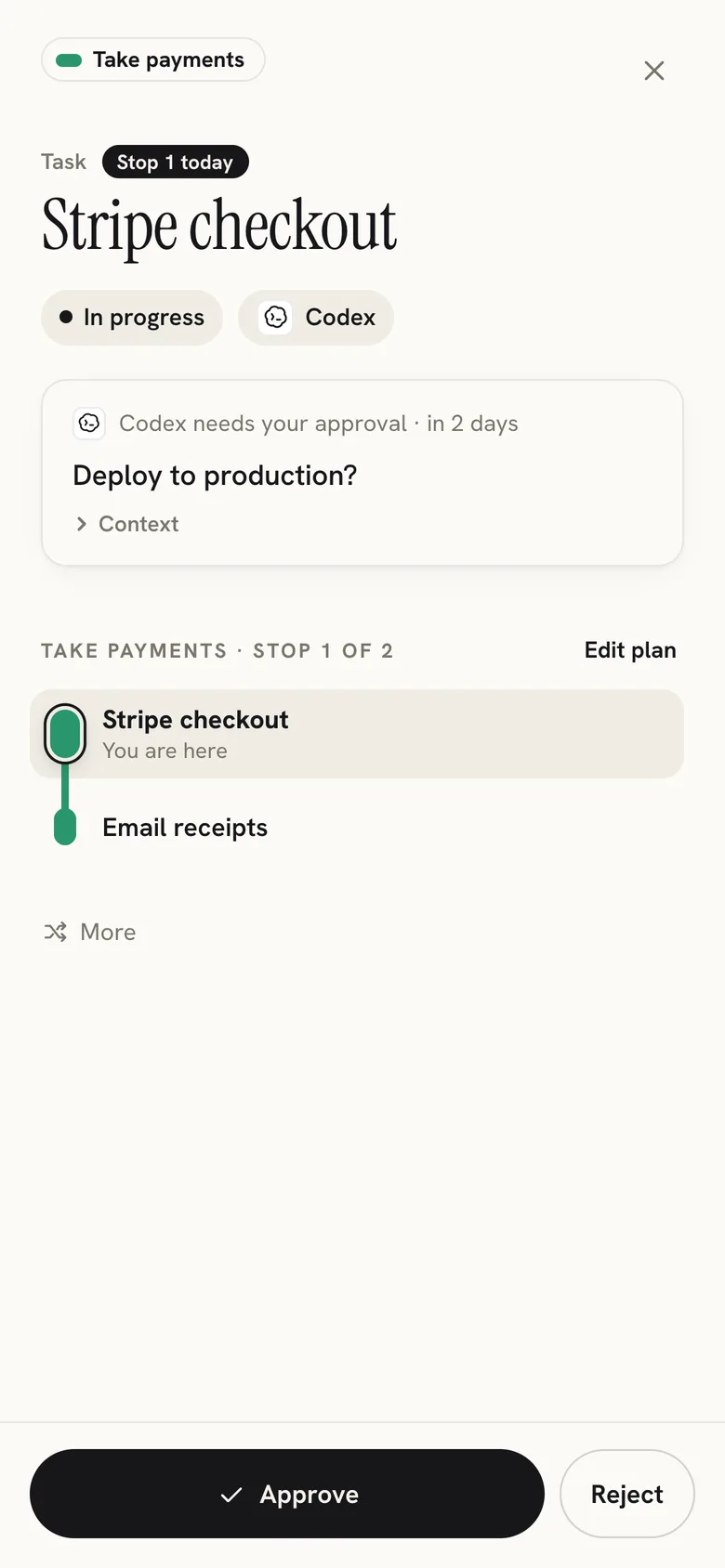
When an agent needs a yes, you get a tap on your phone with what it wants to do and why.
Stay in control
Agents ask before anything big, and you can pause one, or all of them, at any moment.
Steer the plan
Agents lay out their next steps. Reorder them, drop one or add your own whenever you like.
Keep things separate
One map per project: your app, your channel, each client. Their agents never mix.
If you're building something
Claude Code fixes bugs while Codex builds the next feature. You see both, and nothing goes live without you.
If you're a creator
One agent drafts the newsletter, another researches the next video, another makes the thumbnails.
If you work with clients
Agents work on each client's jobs side by side, and you see every deadline on one map.
How it works
Up and running in about two minutes.
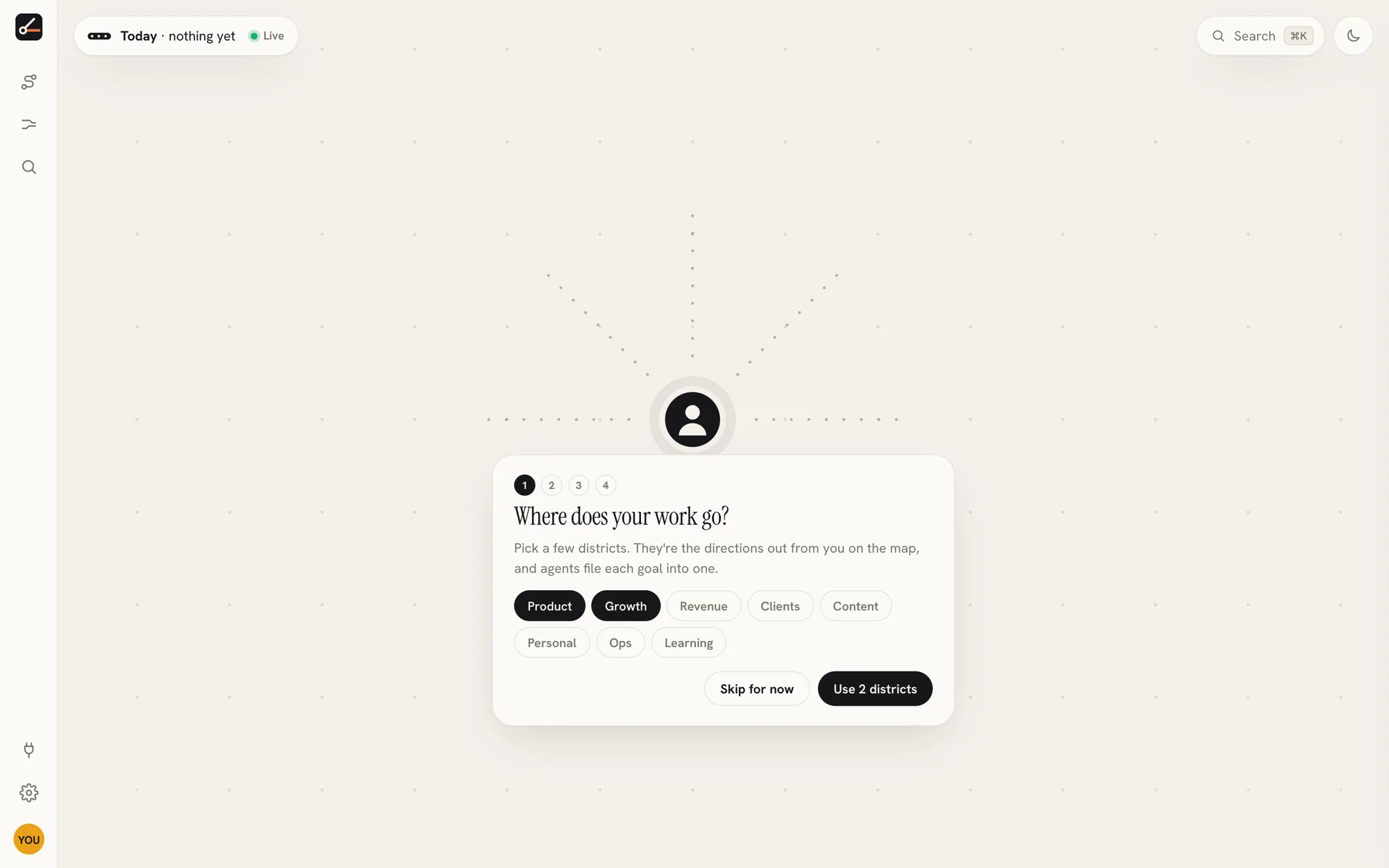
Name the parts of your work
Product, Videos, Clients, Personal: whatever your work is made of. Each becomes a direction on your map.
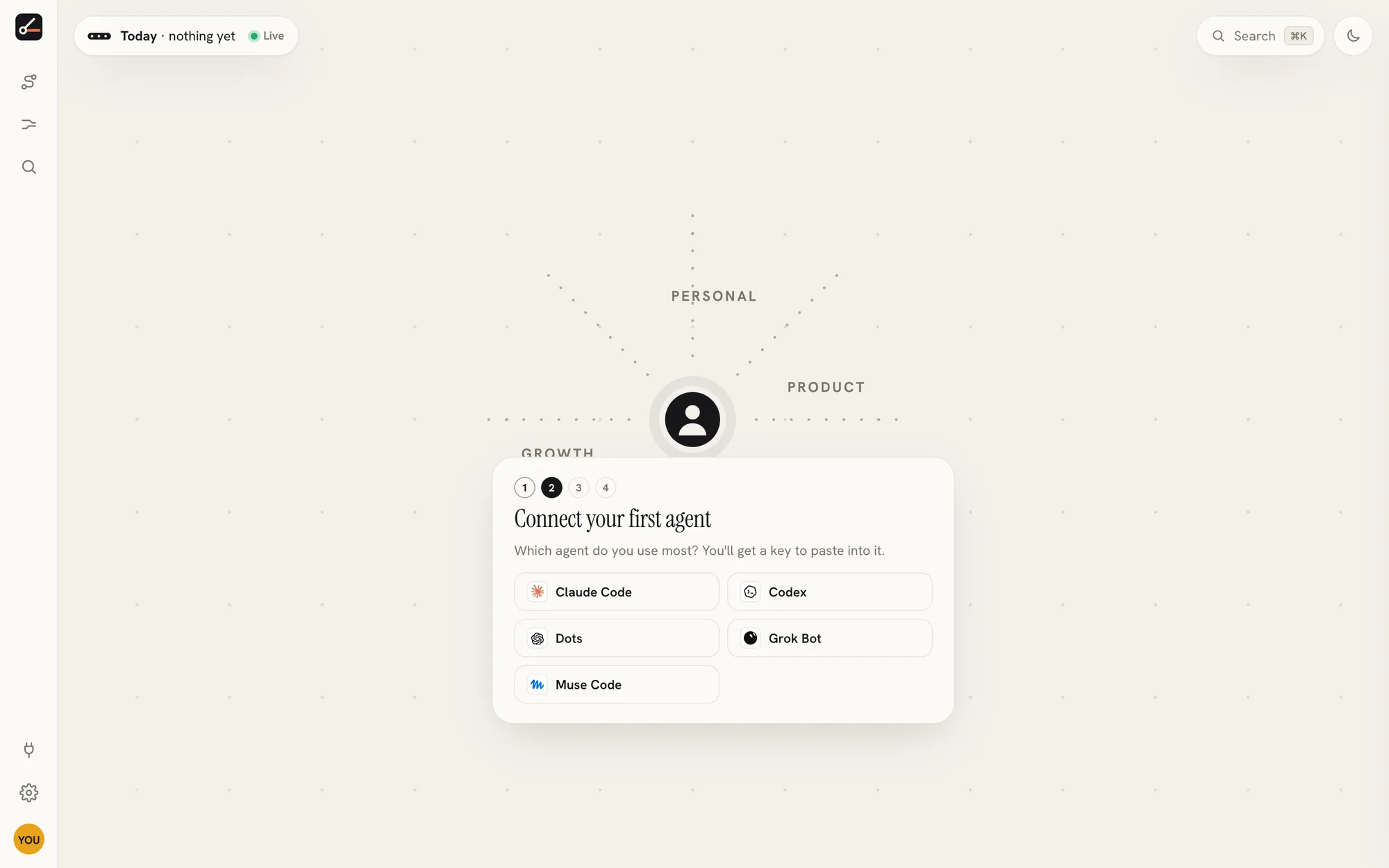
Connect an agent
Pick the agent you use and connect it once. From then on it tells the map what it's doing, without you asking.
Say yes from anywhere
Agents suggest goals and ask before anything big. You decide from your phone, and they carry on.
See it
The same map, from your first goal to your busiest week.
You, with room in every direction
Name your districts and the map shows where future work will go before there's any of it.
Guardrails
Your agents do the work. You stay in charge.
Nothing big without your yes
Publishing, putting changes live, deleting things, spending money and messaging people all need your approval, and each yes works once.
Pause anything, any time
Pause one agent or all of them. Revoke a key in a click, and its claims free up for others.
Limits that stop a runaway
Daily caps on new work and spending stop an agent that gets carried away, before it costs you.
A map that holds still
What has happened never moves. Plans can change, but your map doesn't jump around while you're reading it.
Pricing
Free while it's in beta.
Free
$0 forever
- One agent
- The live map and approvals
- Export or delete everything, any time
Pro at launch
~$15 a month
- Unlimited agents and projects
- Phone alerts for approvals and questions
- Your full history, kept
Give your agents a map.
Free for one agent · no card needed · ready in about two minutes